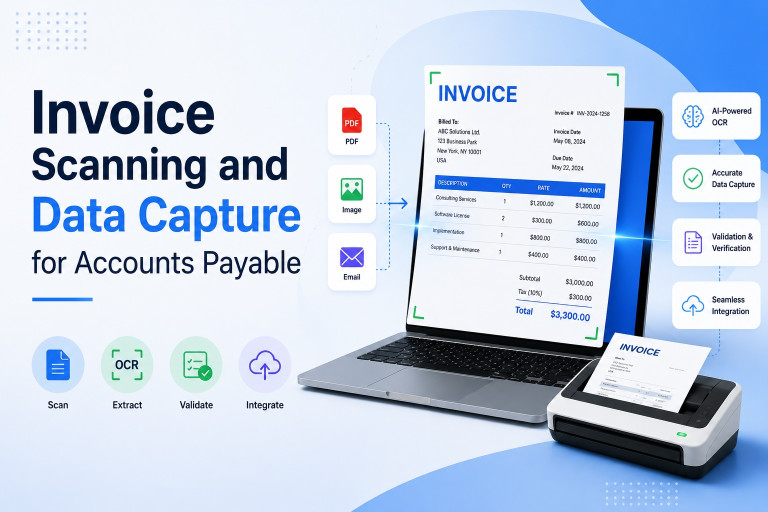
Invoice Scanning and Data Capture for Accounts Payable
May 21, 2026
In today’s fast-moving business environment, finance teams are under constant pressure to process invoices faster, reduce errors, improve compliance, and maintain healthy supplier relationships. Yet many businesses still rely on outdated manual invoice handling methods that consume valuable time and create unnecessary bottlenecks.
That’s where invoice scanning and data capture technology is transforming modern Accounts Payable (AP) workflows.
From AI-powered OCR to intelligent automation platforms, businesses now have the ability to extract invoice information automatically, validate data in real time, and streamline invoice approvals with minimal human intervention. What once required hours of manual data entry can now happen in seconds.
At Zapier Desk, we believe finance automation should be simple, accurate, and scalable. Our AI-driven document automation platform helps businesses automate invoice processing, eliminate repetitive data entry, and integrate seamlessly with existing accounting systems.
In this guide, we’ll explore how invoice scanning works, the benefits it delivers to AP teams, and how to choose the best invoice data capture software for your business.
What Is Invoice Scanning and Data Capture?
Invoice scanning and data capture refers to the process of converting invoice information into structured digital data that can be processed automatically within accounting or ERP systems.
Traditionally, companies received paper invoices, scanned them manually, and entered invoice details by hand into accounting software. This process was slow, labor-intensive, and highly vulnerable to human error.
Modern AP automation solutions use technologies such as:
- Optical Character Recognition (OCR)
- Artificial Intelligence (AI)
- Machine Learning (ML)
- Intelligent Character Recognition (ICR)
These technologies allow systems to:
- Read invoice data automatically
- Identify supplier information
- Extract invoice numbers and dates
- Capture tax amounts and totals
- Match invoices with purchase orders
- Route invoices for approval
Instead of manually typing invoice data, finance teams can now automate the entire workflow from invoice receipt to approval.
How Invoice Scanning and Data Capture Works
Understanding the workflow behind automated invoice processing helps businesses see why automation has become essential for modern finance operations.
1. Invoice Collection
Invoices may arrive in multiple formats, including:
- PDF invoices via email
- Scanned paper invoices
- Mobile phone images
- Electronic invoices
- Vendor portal uploads
An intelligent system gathers these invoices into a centralized platform.
2. OCR-Based Invoice Scanning
The software uses OCR technology to “read” text from invoices.
OCR identifies important fields such as:
- Vendor name
- Invoice number
- Invoice date
- Due date
- Line items
- Tax details
- Total amount
Advanced AI systems can recognize data regardless of invoice layout or format.
3. Intelligent Data Extraction
This is where modern invoice scanning and data capture solutions outperform traditional scanning systems.
AI-powered platforms automatically:
- Validate extracted data
- Detect missing information
- Identify duplicate invoices
- Standardize formatting
- Improve accuracy over time
Solutions like Zapier Desk use machine learning to process invoices from countless supplier formats without requiring manual template creation.
4. Data Validation and Approval
After extraction, the system validates invoice details against:
- Purchase orders
- Goods receipt notes
- Supplier records
- Approval rules
Invoices can then be routed automatically to the correct approvers.
5. Integration with Accounting Software
Once approved, invoice data flows directly into accounting or ERP systems for payment processing and financial reporting.
This eliminates repetitive manual entry and dramatically improves efficiency.
Manual vs Automated Invoice Scanning
Many businesses still depend on manual invo/ice processing without realizing how costly and inefficient it can become as invoice volumes grow.
Here’s a closer comparison.
Process
Manual Invoice Scanning
- Physical invoices are received and sorted manually
- Staff scan documents individually
- Invoice data is entered by hand
- Verification requires human review
Automated Invoice Scanning
- Invoices are received digitally or scanned automatically
- OCR extracts invoice information instantly
- AI validates and organizes data
- Workflows are automated end-to-end
Data Capture Accuracy
Manual Processing
Manual data entry often results in:
- Typing mistakes
- Duplicate records
- Missing fields
- Incorrect coding
Automated Processing
Modern invoice data capture software uses AI validation tools to:
- Reduce errors significantly
- Identify anomalies automatically
- Ensure data consistency
- Improve invoice matching accuracy
Invoice Processing Speed
Manual Systems
Processing depends heavily on staff availability and invoice volume. Faster processing often increases the likelihood of mistakes.
Automated Systems
Invoices can be processed in seconds regardless of volume. Automation enables real-time approvals and faster payment cycles.
Cost Efficiency
Manual AP Workflows
Costs increase with:
- Paper handling
- Printing
- Physical storage
- Manual labor
- Error correction
Automated AP Workflows
Although automation software requires investment, long-term processing costs become significantly lower due to increased efficiency and reduced manpower requirements.
Scalability
Manual Invoice Scanning
Scaling manual AP processes requires hiring more employees and expanding administrative overhead.
Automated Invoice Scanning
Automation platforms scale easily without major operational cost increases.
This is especially valuable for growing businesses managing hundreds or thousands of invoices monthly.
Benefits of Invoice Scanning and Data Capture
Modern AP automation offers much more than faster invoice processing. It creates measurable improvements across finance operations.
Faster Invoice Processing
One of the biggest advantages is speed.
Automated systems can process invoices within minutes rather than days, helping businesses:
- Avoid payment delays
- Capture early payment discounts
- Improve supplier relationships
Reduced Human Errors
Manual invoice entry is prone to mistakes that can lead to:
- Duplicate payments
- Incorrect tax reporting
- Vendor disputes
- Compliance risks
AI-driven validation dramatically reduces these issues.
Improved Accounts Payable Visibility
Automation provides real-time visibility into:
- Invoice status
- Approval stages
- Outstanding liabilities
- Payment schedules
Finance teams gain better control over cash flow management.
Better Compliance and Audit Readiness
Digital invoice records create a complete audit trail.
This simplifies:
- Regulatory compliance
- Tax audits
- Internal controls
- Document retrieval
Unlike paper systems, digital records are searchable and securely stored.
Increased Productivity
Instead of spending hours on repetitive data entry, AP teams can focus on:
- Financial analysis
- Vendor management
- Cash flow optimization
- Strategic planning
Automation shifts finance departments from administrative work to value-driven activities.
Why OCR Is Essential in Invoice Data Capture Software
OCR (Optical Character Recognition) is the foundation of modern invoice automation.
Without OCR, systems cannot extract meaningful information from invoice documents.
However, traditional OCR alone is no longer enough.
Modern platforms like Zapier Desk combine OCR with:
- Artificial intelligence
- Machine learning
- Data validation
- Intelligent automation
This allows the system to:
- Recognize different invoice layouts
- Learn from historical processing
- Improve extraction accuracy continuously
- Handle complex invoice structures
The result is faster, smarter, and more reliable invoice processing.
Best Features to Look for in Invoice Data Capture Software
Not all AP automation tools offer the same capabilities.
When evaluating solutions, businesses should look for the following features.
AI-Powered OCR
Choose software that combines OCR with AI and machine learning for higher extraction accuracy.
Multi-Format Invoice Support
Your system should process:
- PDFs
- Scanned images
- Photos
- Electronic invoices
- Multi-page documents
Automated Workflow Routing
Approval workflows should be customizable based on:
- Invoice value
- Vendor
- Department
- Business rules
ERP and Accounting Integrations
Seamless integration with accounting platforms is critical for workflow efficiency.
Duplicate Invoice Detection
The software should identify duplicate invoices automatically to prevent payment errors.
Real-Time Reporting
Finance teams need visibility into:
- Invoice status
- Approval bottlenecks
- Processing times
- Cash flow commitments
Cloud Accessibility
Cloud-based solutions allow AP teams to work remotely while maintaining full visibility and security.
How Zapier Desk Simplifies Invoice Scanning and Data Capture
At Zapier Desk, we designed our platform specifically to eliminate the frustrations businesses face with manual invoice processing.
Our intelligent automation platform helps organizations:
- Extract invoice data automatically
- Process documents from any format
- Eliminate repetitive manual entry
- Improve AP accuracy
- Accelerate approvals
- Integrate seamlessly with existing systems
Unlike traditional OCR tools that require manual templates, Zapier Desk leverages advanced AI and machine learning to process an unlimited variety of invoice designs.
Whether invoices arrive as:
- Scanned documents
- Mobile images
- PDFs
- Digital files
Zapier Desk captures critical invoice information quickly and accurately.
Our API-first architecture also allows businesses to integrate invoice automation directly into their accounting systems, ERP platforms, or custom applications.
Industries That Benefit Most from Invoice Automation
Although almost every business can benefit from AP automation, some industries see especially strong returns.
Manufacturing
Handles large supplier networks and high invoice volumes.
Retail & E-Commerce
Requires fast invoice processing to maintain inventory operations.
Healthcare
Needs accurate documentation and strict compliance controls.
Logistics & Supply Chain
Processes invoices from multiple vendors and transportation partners.
Professional Services
Benefits from improved operational efficiency and financial visibility.
The Future of Invoice Scanning and Data Capture
Invoice automation is evolving rapidly.
The future of AP includes:
- AI-driven fraud detection
- Predictive analytics
- Touchless invoice processing
- Smart approval routing
- Real-time financial insights
As businesses continue embracing digital transformation, automated AP systems will become a standard requirement rather than a competitive advantage.
Companies that continue relying on manual processes risk falling behind in efficiency, accuracy, and scalability.
Conclusion
Manual invoice processing may have worked in the past, but modern businesses need faster, smarter, and more scalable solutions.
Automated invoice scanning and data capture technology allows finance teams to eliminate repetitive tasks, reduce costly errors, improve compliance, and gain real-time control over accounts payable operations.
With intelligent OCR, AI-driven automation, and seamless integrations, modern invoice data capture software transforms AP departments into efficient, strategic business functions.
At Zapier Desk, we help businesses simplify document processing through advanced AI-powered automation designed for accuracy, flexibility, and scalability.
If your organization is ready to modernize invoice processing and reduce manual workload, now is the perfect time to adopt intelligent AP automation.
Frequently Asked Questions (FAQs)
What is invoice scanning and data capture?
Invoice scanning and data capture is the process of extracting invoice information automatically from paper documents, PDFs, or digital images using OCR and AI technologies.
What is OCR in invoice processing?
OCR (Optical Character Recognition) is a technology that reads text from scanned invoices or images and converts it into editable digital data.
How does invoice data capture software improve AP workflows?
It automates data extraction, validation, approval routing, and accounting integration, reducing manual work and improving accuracy.
Can invoice scanning software process PDF invoices?
Yes. Modern solutions can process:
- PDFs
- Scanned documents
- Photos
- Electronic invoices
- Multi-format digital files
Is automated invoice scanning accurate?
AI-powered systems offer very high accuracy rates because they combine OCR with machine learning and validation algorithms.
Can invoice automation integrate with accounting software?
Yes. Most advanced solutions, including Zapier Desk, integrate seamlessly with ERP and accounting platforms.
What are the biggest benefits of invoice scanning automation?
Key benefits include:
- Faster processing
- Reduced errors
- Lower operational costs
- Improved compliance
- Better visibility
- Scalability
Does Zapier Desk support different invoice formats?
Yes. Zapier Desk can extract and process invoice data from scanned images, PDFs, photographed documents, and electronic invoices without requiring manual templates.
Follow Us On: Facebook, X, Instagram and YouTube.