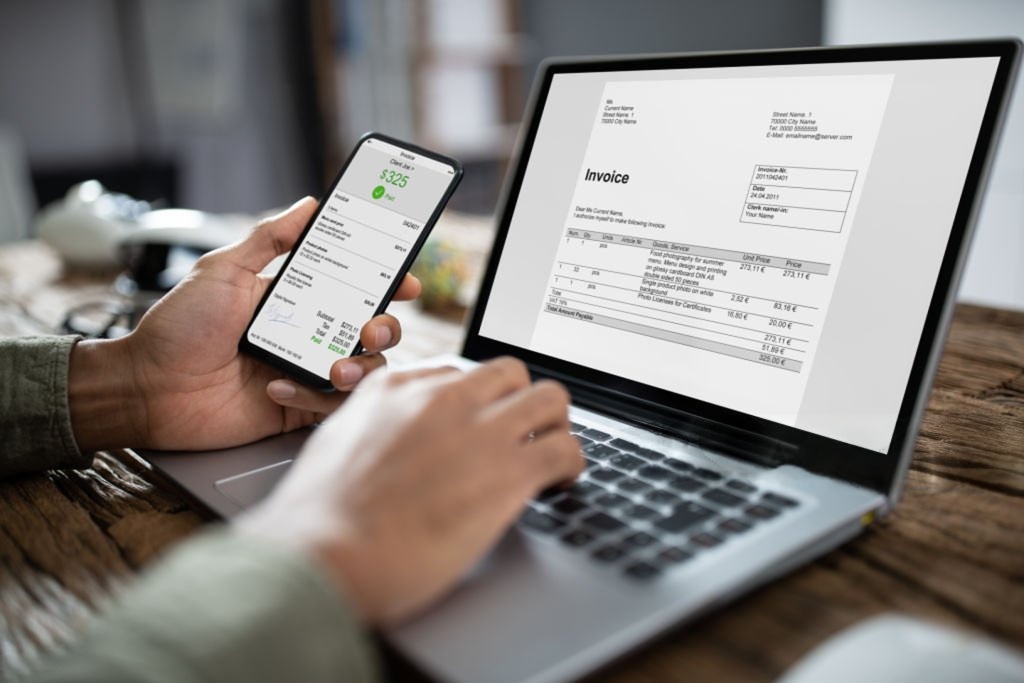
How Invoice Data Capture Software Cuts Data Entry Time
March 12, 2026
In modern finance departments, one of the biggest productivity challenges is manual data entry. Accounting teams often spend hours typing invoice details into accounting systems, checking numbers, and correcting mistakes. This repetitive work slows down operations and increases the risk of costly errors.
This is where invoice data capture software becomes essential. By using artificial intelligence (AI) and optical character recognition (OCR), businesses can automatically extract information from invoices and convert it into structured data ready for accounting systems. Instead of manually entering data from PDFs, scanned files, or images, finance teams can rely on intelligent automation to complete the task faster and more accurately.
Zapier Desk offers advanced AI-powered solutions that simplify invoice processing and dramatically reduce the time spent on data entry. In this article, we’ll explore how invoice data capture software works, why it matters for businesses, and how it can transform your accounting workflows.
What Is Invoice Data Capture Software?
Invoice data capture software is a technology solution that automatically extracts key information from invoices and converts it into digital data that accounting systems can use.
Traditionally, invoice processing involved reviewing documents and manually entering details such as:
- Vendor name
- Invoice number
- Invoice date
- Line items and descriptions
- Tax information
- Total amount
With invoice data capture software, these fields are automatically detected and captured using AI and OCR technologies. The software reads invoice documents, identifies relevant data points, and organizes them into structured digital formats.
This automation significantly reduces the need for manual data entry while improving speed and accuracy.
Why Businesses Need Invoice Data Capture Software
Organizations today handle a growing number of invoices from multiple suppliers, each using different document formats. Managing these documents manually creates inefficiencies that impact both productivity and financial accuracy.
Invoice data capture software helps businesses overcome these challenges by:
- Automating repetitive data entry tasks
- Reducing human errors in financial records
- Accelerating invoice processing workflows
- Improving visibility into financial data
- Supporting scalable accounting operations
For companies seeking to modernize their finance processes, invoice data capture software is a crucial step toward digital transformation.
How Invoice Data Capture Software Works
Modern invoice data capture software follows a structured workflow that converts documents into usable financial data.
1. Document Intake and Capture
Invoices arrive in different formats, including:
- Email attachments
- Uploaded PDFs
- Scanned paper invoices
- Photographs taken on mobile devices
Invoice data capture software captures these documents and prepares them for processing.
2. AI-Powered Data Extraction
The next step is where automation truly begins. Using advanced OCR and AI technology, the system scans the document and identifies relevant text elements.
The software extracts critical fields such as:
- Vendor details
- Invoice totals
- Due dates
- Purchase order numbers
- Line items
Unlike traditional systems that require fixed templates, modern invoice data capture software can interpret multiple document formats without manual configuration.
3. Data Validation and Verification
Once the data is extracted, validation rules check its accuracy. This step helps identify:
- Duplicate invoices
- Missing data fields
- Unexpected amounts
- Formatting inconsistencies
Validated information ensures that accounting systems receive reliable and accurate data.
4. Integration with Accounting Systems
After validation, the captured data is transferred directly to accounting software. Integration ensures a seamless workflow where finance teams can continue with approvals, reconciliation, and payment processing without manual intervention.
With tools like Zapier Desk, this integration happens smoothly through APIs that connect with major accounting platforms.
How Invoice Data Capture Software Reduces Data Entry Time
Manual invoice entry can consume a significant portion of a finance team’s working hours. By automating this process, invoice data capture software dramatically reduces time spent on routine tasks.
Eliminates Repetitive Manual Work
Typing invoice data manually is one of the most time-consuming accounting tasks. Automation removes the need to retype information from invoices, saving hours each week.
Processes Documents Faster
Invoice data capture software can process large volumes of invoices within minutes. What once required days of manual work can now be completed almost instantly.
Reduces Error Corrections
Human errors in data entry often lead to additional time spent correcting mistakes. Automated data extraction ensures greater accuracy from the start.
Supports Scalable Operations
As businesses grow, invoice volumes increase. Invoice data capture software allows organizations to process higher volumes without expanding accounting staff.
Key Benefits of Invoice Data Capture Software
Adopting invoice data capture software provides a wide range of operational and financial benefits.
1. Improved Efficiency
Automation speeds up invoice handling and eliminates repetitive tasks, allowing finance teams to focus on strategic work.
2. Higher Data Accuracy
AI-powered extraction ensures consistent and reliable data capture across different document formats.
3. Faster Invoice Processing
With automated workflows, invoices move through the system faster, improving payment cycles and supplier relationships.
4. Reduced Operational Costs
Lower manual workload means fewer resources are required for invoice processing.
5. Better Financial Visibility
Structured digital data provides real-time insights into expenses, helping businesses make better financial decisions.
6. Simplified Compliance and Auditing
Digitized invoices create an organized record that simplifies audits and regulatory checks.
Why Zapier Desk Is a Powerful Invoice Data Capture Software
Zapier Desk provides advanced invoice data capture software designed to simplify document processing and accounting automation.
Powered by artificial intelligence, Zapier Desk can extract data from a wide variety of document types including invoices, receipts, contracts, and other financial documents.
Key Features of Zapier Desk
AI-Driven Data Extraction
Zapier Desk uses cutting-edge AI to capture data from scanned, photographed, and digital documents with high accuracy.
No Template Setup Required
Unlike traditional systems, Zapier Desk adapts to different document layouts without manual configuration.
Handles Multiple Document Formats
The platform can process invoices, receipts, and other financial documents regardless of format.
Seamless API Integration
Zapier Desk integrates smoothly with existing software systems using its intuitive API.
Machine Learning Optimization
The system continuously improves accuracy by learning from large datasets and document patterns.
With these capabilities, Zapier Desk transforms manual document processing into a fast and reliable automated workflow.
Real-World Use Cases for Invoice Data Capture Software
Invoice data capture software is widely used across industries to improve efficiency and accuracy.
Small and Medium Businesses
SMEs benefit from automation by reducing administrative workload and improving financial organization.
Accounting Firms and Bookkeepers
Professionals handling multiple clients use invoice data capture software to standardize invoice processing across different vendors and industries.
Accounts Payable Teams
Large organizations rely on automation to manage high invoice volumes efficiently while minimizing errors.
Enterprises with Complex Document Workflows
Companies dealing with contracts, receipts, and financial documents benefit from automated data extraction and document management.
Best Practices for Implementing Invoice Data Capture Software
To maximize the value of invoice data capture software, businesses should follow these best practices:
- Digitize all incoming invoices for consistent processing
- Integrate software with accounting platforms to avoid manual data transfers
- Use validation rules to detect duplicates and anomalies
- Train finance teams to use automation tools effectively
- Monitor data accuracy and workflow performance
By combining smart processes with advanced technology, businesses can achieve maximum efficiency.
The Future of Invoice Processing with AI Automation
As artificial intelligence continues to evolve, invoice processing will become even more automated and intelligent. Future systems will not only capture data but also:
- Predict payment schedules
- Detect financial anomalies
- Automate invoice approvals
- Provide deeper financial insights
Businesses that adopt invoice data capture software today will be better positioned to take advantage of these innovations.
Conclusion
Manual invoice data entry is one of the most inefficient and error-prone processes in accounting. Invoice data capture software solves this challenge by automatically extracting and organizing invoice information using AI and OCR technologies.
By reducing manual work, improving accuracy, and speeding up workflows, invoice data capture software enables businesses to operate more efficiently and scale their financial operations with confidence.
Zapier Desk provides powerful AI-driven solutions that simplify document automation and eliminate tedious data entry tasks. With seamless integrations, advanced machine learning, and high-accuracy data extraction, Zapier Desk helps organizations transform their accounting processes.
If your business is ready to save time and improve efficiency, now is the perfect moment to explore how invoice data capture software from Zapier Desk can streamline your workflows.
FAQs
What is invoice data capture software?
Invoice data capture software uses AI and OCR technology to automatically extract information from invoices and convert it into structured data for accounting systems.
How does invoice data capture software reduce manual work?
It automatically reads invoice documents and captures important fields such as totals, dates, and vendor details, eliminating the need for manual typing.
Is invoice data capture software accurate?
Modern AI-powered systems provide high accuracy and continuously improve through machine learning and data validation processes.
Can invoice data capture software handle different invoice formats?
Yes. Advanced solutions like Zapier Desk can process invoices with different layouts without requiring manual templates.
Is invoice data capture software suitable for small businesses?
Absolutely. Small businesses benefit from faster processing, fewer errors, and reduced administrative workload.
Start your free trial today!
Follow Us On: Facebook, X, Instagram and YouTube.